
Step 1
Create a case or select an existing one
Open a dedicated workspace for each matter. Pick an existing case or start a new one — Nammu keeps context, documents, and analysis scoped to that workspace.
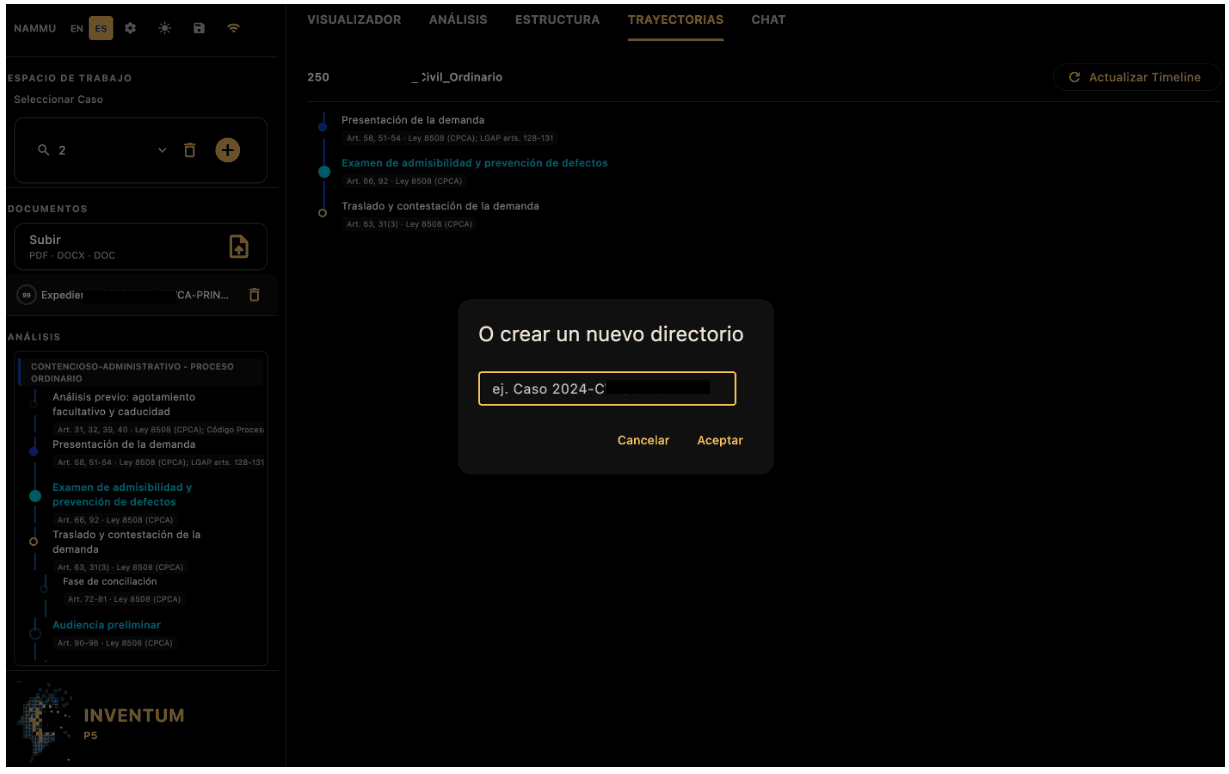
Workspace picker and case creation flow
Step 2
Upload relevant documents
Drop in PDFs, scans, and matter files. Nammu ingests them into the active workspace and prepares them for processing, segmentation, and review.
Upload area and document list in the workspace sidebar
Step 3
Let the tool process and understand
Nammu detects the law branch, maps procedural stages, and grounds outputs in the right clause libraries and templates for your jurisdiction.
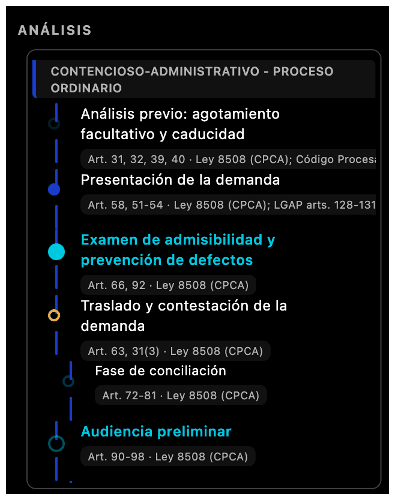
Law branch detection and procedural timeline grounding
Step 4
Explore visualizer to navigate across documents
Move through long expedientes with page navigation, annotations, and rich rendering of clauses, handwriting, images, and mixed content.
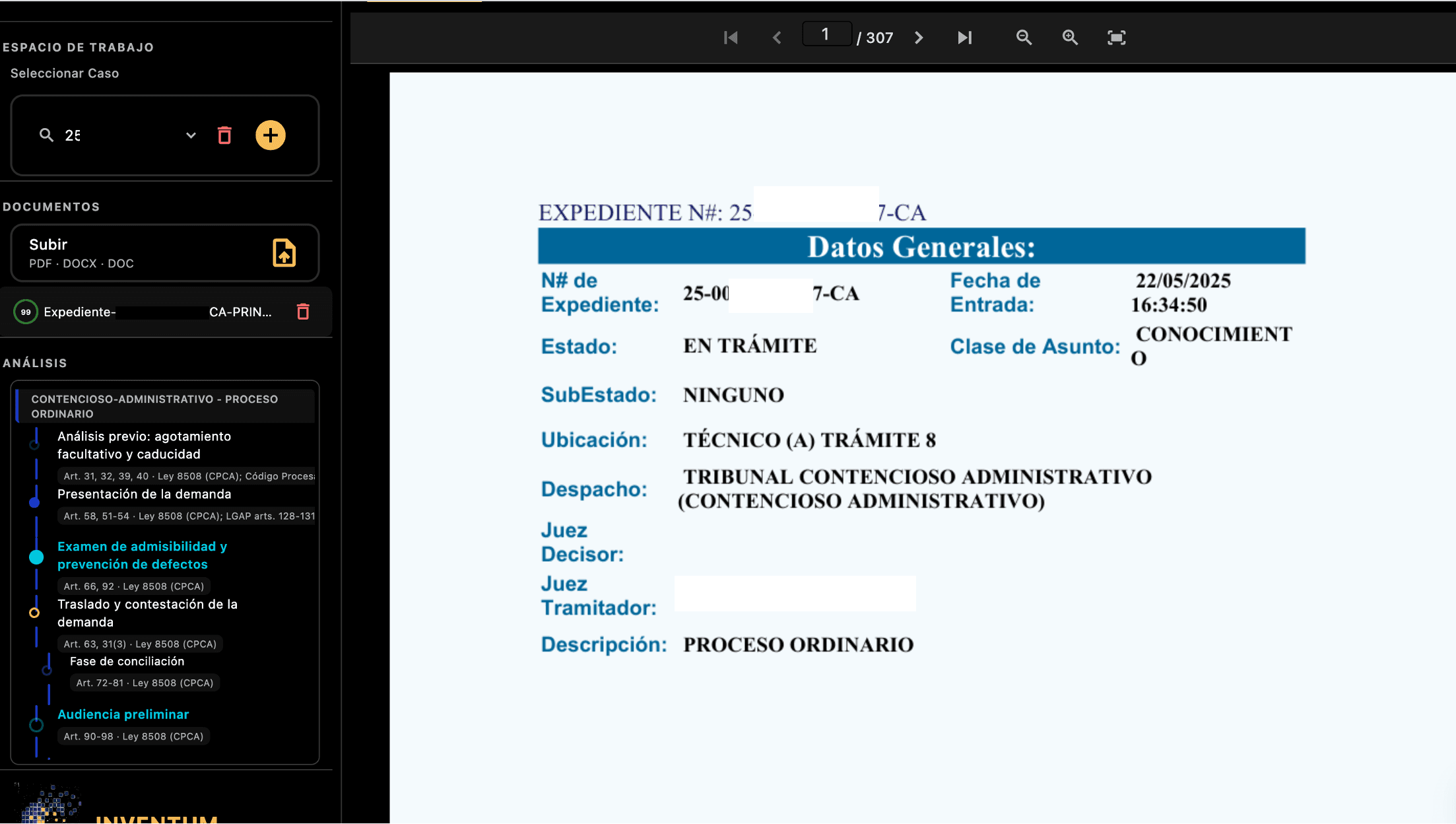
Document viewer with annotations and page navigation
Step 5
Trigger required analysis and verify!
Run branch-specific analysis modules — procedural status, deadlines, and meeting-ready summaries you can verify before sharing with clients.
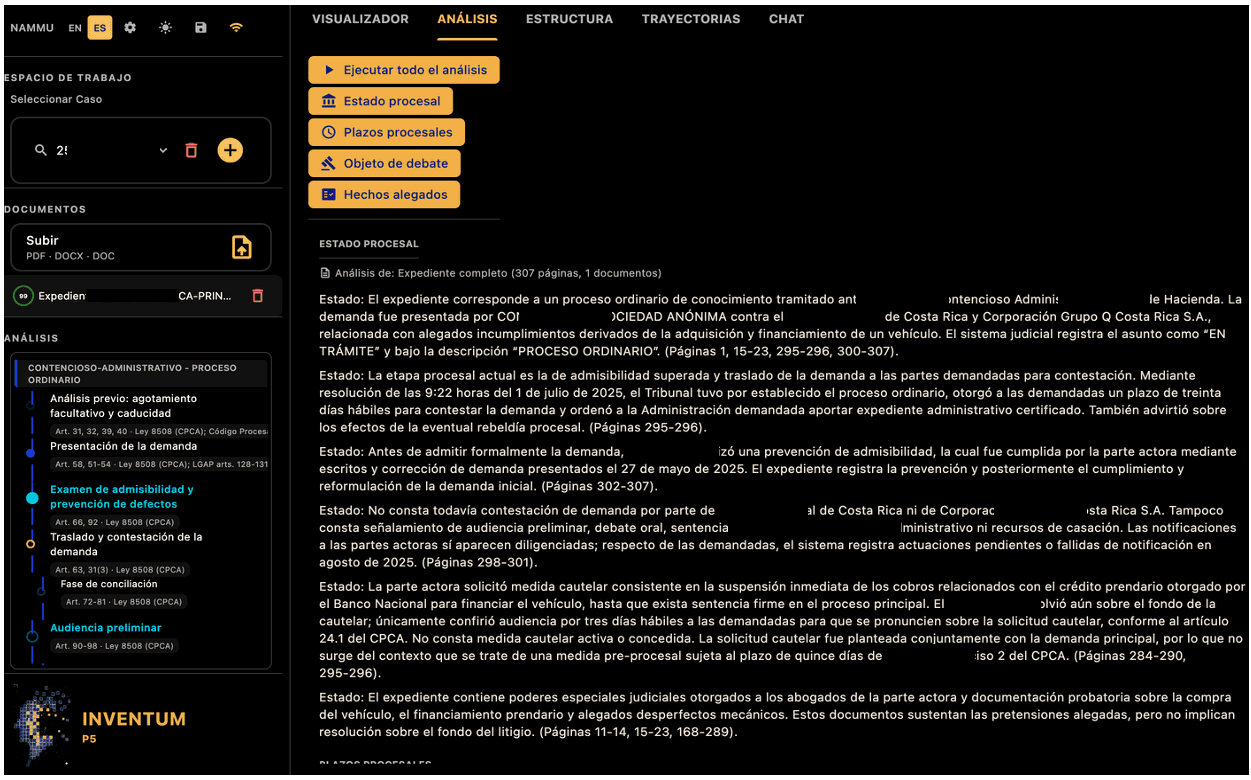
Analysis modules tailored to the detected law branch
Step 6
Explore smart document segmentation
Automatic segmentation surfaces meaningful subsections that may not exist in the original filing — so you spot urgent and relevant content faster.
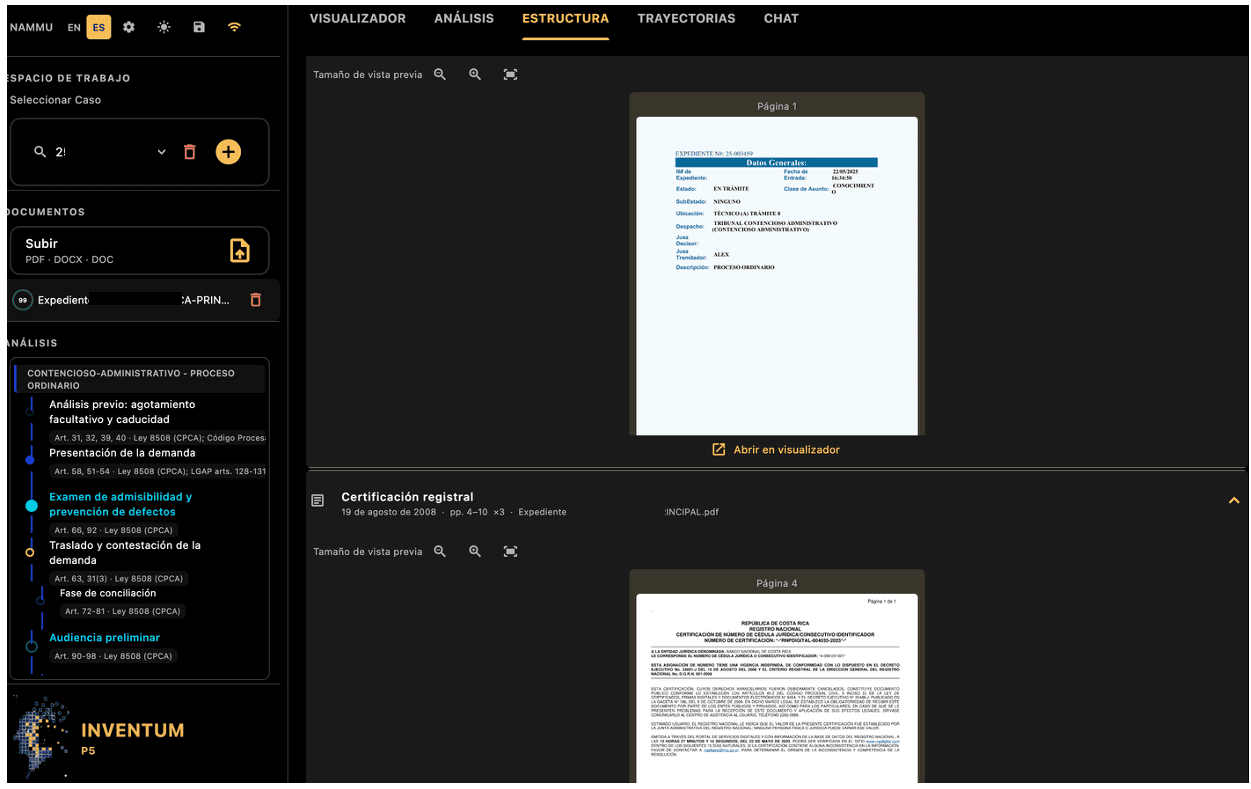
AI-driven segmentation across large matter files
Step 7
Review actual journey
Track how the case moves through procedural stages — from intake through hearings and filings — with a timeline grounded in your documents.
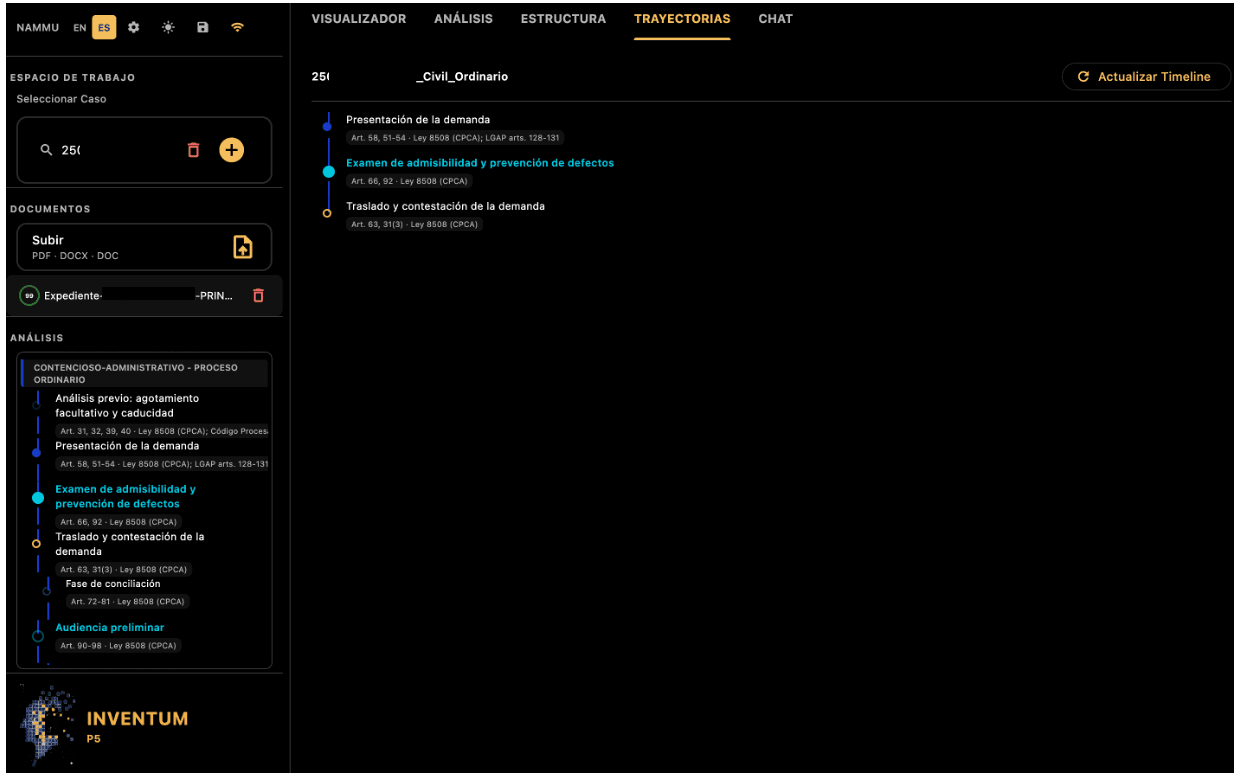
Case trajectory and procedural milestones
Step 8
Ask and work with an Agent
Chat with your matter: ask questions, pull answers from sources, explore normative context, and copilot through jurisprudence with citation grounding.
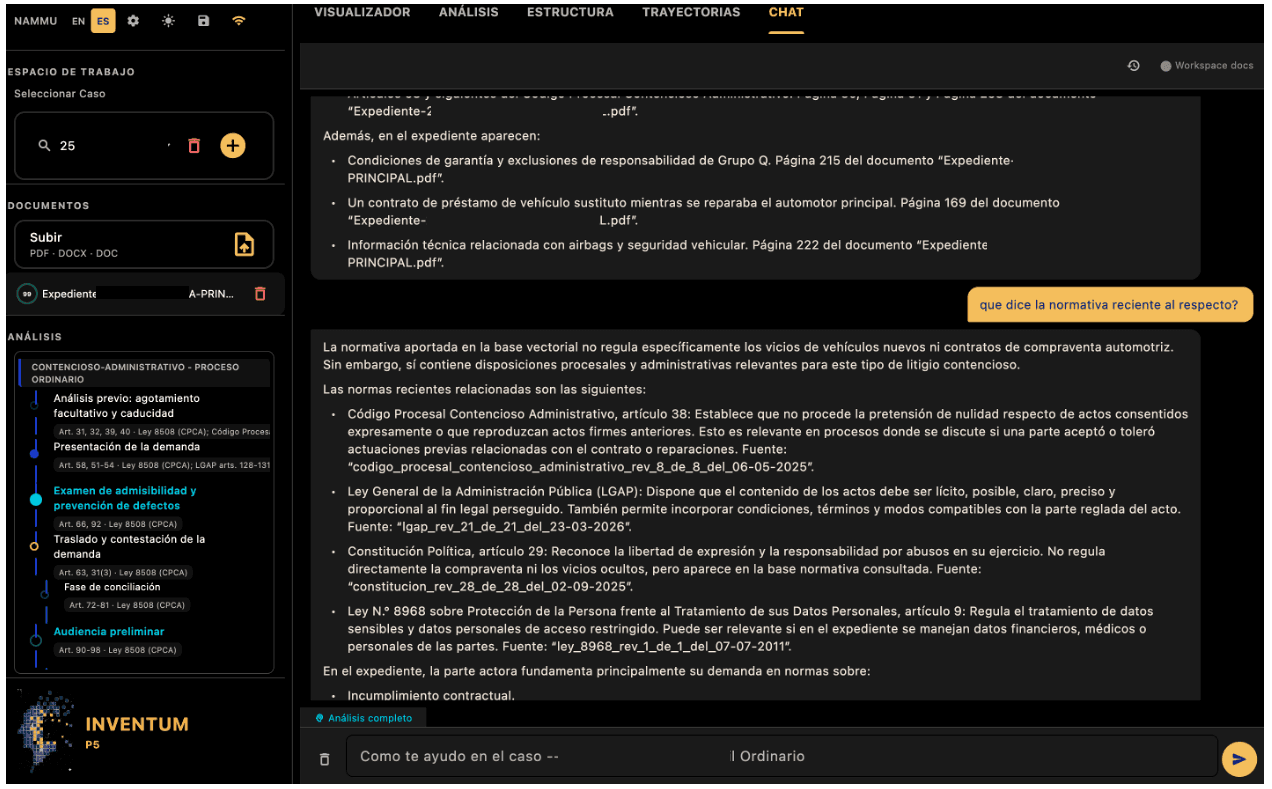
Citation-grounded Q&A on your case files
Ready to see Nammu on your matters?
Request a demo and we'll walk your team through the full workflow on a live case.
Request a demo